SiteForNow · Warsaw
3D apartment walkthroughs
Walk the apartment, before the client arrives.
An interactive 3D model built from the floor plan. Runs in the browser, as a link in your listing.
What it is
A 3D walkthrough the buyer opens from the listing.
A 3D model, not a photo scan
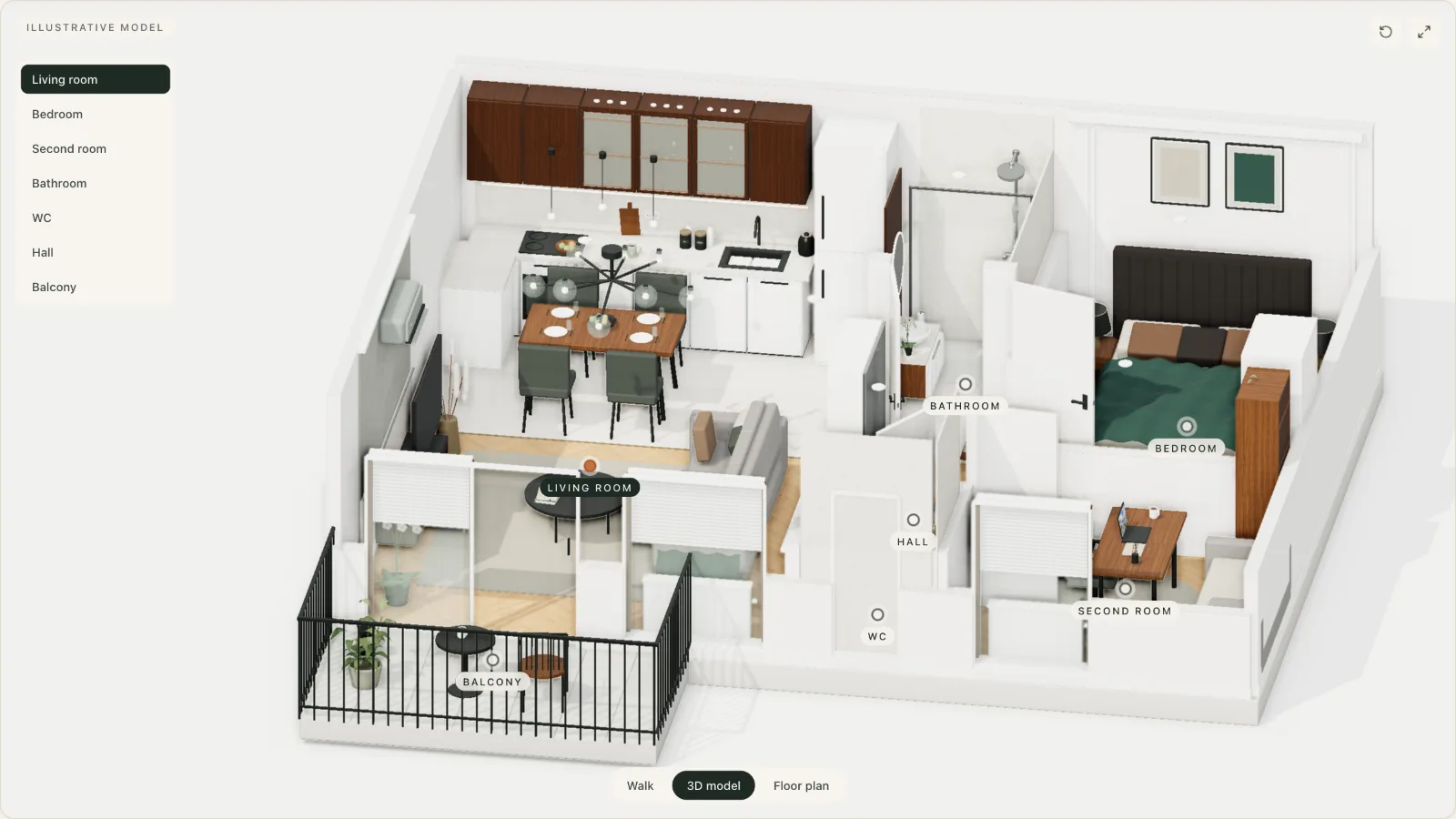
We build the apartment from the floor plan as a model: walls, doors, windows, furniture, the views from the windows. The buyer turns the whole thing around, looks at the plan and steps inside. The model is labelled illustrative, and the listing photos sit next to it as the proof.
In the browser, no app
Phone, tablet, laptop. It opens like any web page: no install, no account, no plug-ins. On a phone you steer with a finger, on a computer with the mouse and the keyboard.
On your domain, no subscription
The walkthrough lives at your address, for example youragency.com/listings/12-lake-street. No third-party platform, no other company's logo in the corner, no hosting fee paid to someone else.
Live demo
Open the walkthrough your buyer gets.
A 60 m² apartment in Kraków, built from the floor plan in the listing. Open it on your phone: it is the same link you paste into the listing.
On a computer you walk with W A S D, on a phone with a finger. Doors open with a click.
Who it is for
Two desks, the same link.
Estate agencies
Fewer empty viewings
A buyer who has walked through the apartment on a phone arrives at the viewing decided, or does not come at all. What remains are conversations about the price, not about the room layout.
- A walkthrough for every listing with a floor plan, resale included
- One link: for the portal listing, for a message, for social media
- An argument when winning an exclusive: the seller sees how your presentation differs
Developers
Selling from the plan, before the building stands
At the hole-in-the-ground stage the buyer gets a sheet with a floor plan and a visualisation. The walkthrough turns that sheet into an apartment they walk through in the browser, in the sales office and again at home.
- One model per apartment type, repeated across the whole development
- Embedded on the development's site, at your address
- The same link in the sales office, in the e-mail after the meeting and in the ads
How it works
From the floor plan to a link in the listing.
- PlanYou send the floor plan (a PDF or a photo of the sheet) and photos, if there are any. That is all we need.
- ModelWe build the 3D model and the walkthrough: walls, doors, windows, furniture, the views from the windows. You get a link to review and one round of corrections.
- LinkYou paste the link into the listing, onto the development's page or send it to the buyer. Nothing to install.
Timeline: up to 7 working days from receiving the floor plan.
Book a 15-minute callQuestions
The questions that come up before the first call.
How is a 3D walkthrough different from 360° photos?
360° photos are panoramas from a few points in a finished, furnished apartment; they need a session on site. A 3D walkthrough is built from the floor plan, so it also works for apartments under construction and empty ones, and the buyer walks freely through the whole apartment, switches to the model from above and to the plan.
What do I need to provide?
The floor plan as a PDF or a legible photo of the sheet, ideally with dimensions or room areas. Interior photos and a note on what the windows look out on help, but are not required. The apartment sheet from a development is entirely enough.
How long does it take?
up to 7 working days from receiving the floor plan, including one round of corrections. For a larger number of apartments in one development we agree a schedule in stages, so the first walkthroughs reach the listings as early as possible.
How much does it cost?
The quote depends on the number of apartments and whether the floor plans repeat: typical apartments in one development are priced differently from single listings. After you send the form you receive a quote within one working day, with no obligation.
Does it work on a phone, without installing anything?
Yes. The walkthrough opens in a normal browser on a phone, tablet and computer, like any web page; nothing to install and no account to create. On a phone you steer with a touch pad, on a computer with the WASD keys and the mouse.
Can I paste the walkthrough into listings and embed it on my own site?
The walkthrough is a link you paste into a portal listing, into a mailing or onto the development's page. On your own site we can also embed it in a frame or put it under your domain, so the address is yours.
Does the model reproduce the finish, and can I have variants?
The layout of walls, doors, windows and the room proportions follow the floor plan. Furniture and finishes are illustrative unless you provide specific materials. Variants, for example two finish styles or an empty and a furnished version, are made as additional versions of the same model; we agree them at the quote.
Who owns the walkthrough?
The walkthrough is yours: you use it indefinitely in all your listings, materials and on the development's site. We host it under your link or hand over the files to put on your domain.
Book a call
15 minutes. We will show the walkthrough on your listing.
Leave a number and a time and we call back within one working day. On the call we open the 3D walkthrough and say how it would look on one of your apartments.
Prefer to write straight away? These three doors lead to the same person.